Start here
The demo
The full demo is the village square from weatherpro.html, driven by the library. It has every preset, a slider for each weather amount, and toggles for the expensive features. It runs from the package with npm run dev, and in your browser right here.
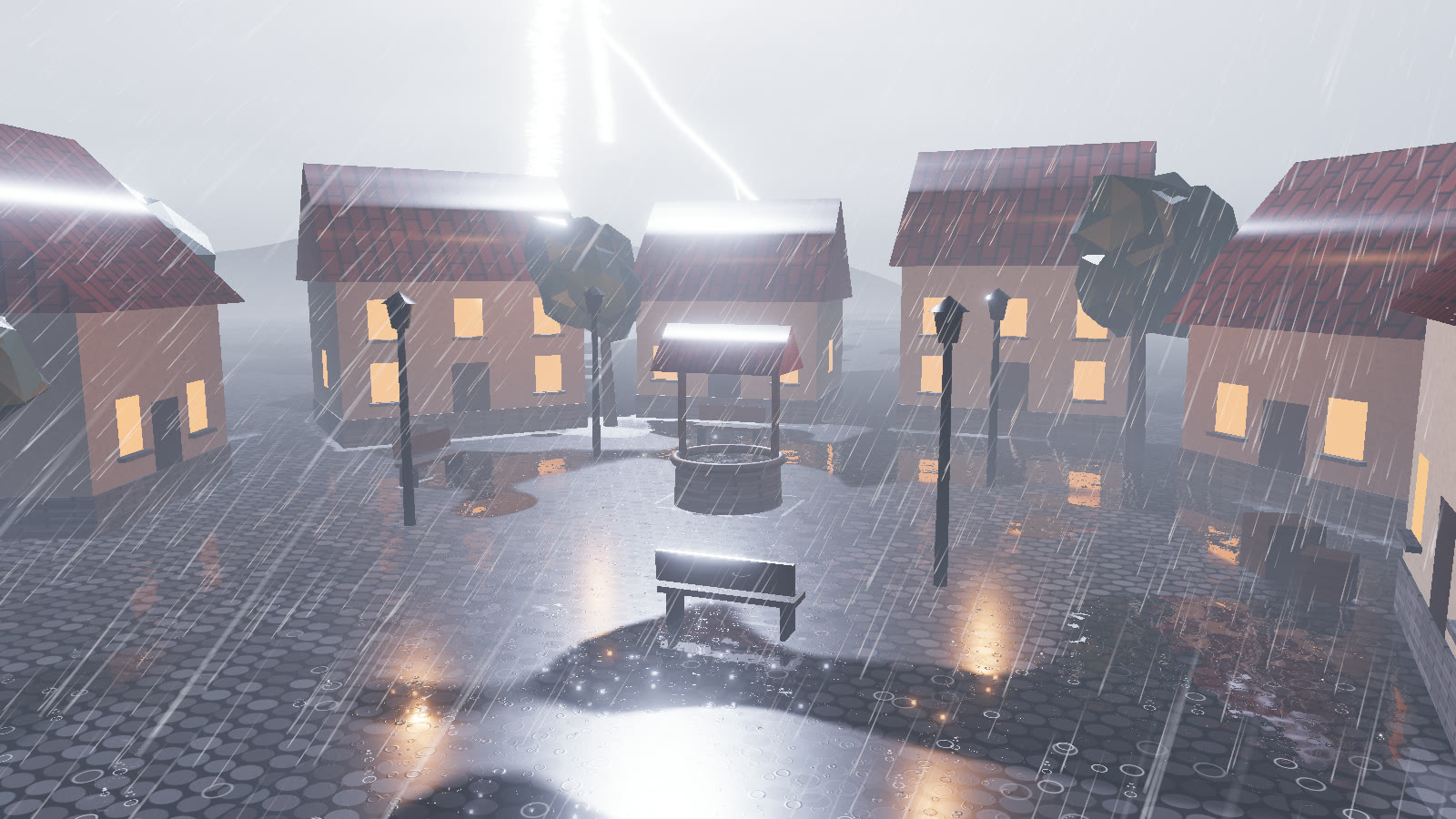
npm run build:demo. Drag to orbit, press 1–7 for the presets and L for a lightning strike.#Controls
#Camera
| Input | Action |
|---|---|
| Drag | Orbit around the well |
| Right-drag | Pan |
| Scroll | Zoom |
| Orbit button | Slow automatic orbit |
#Weather
| Input | Action |
|---|---|
| 1 – 7 | Presets, in order: clear, drizzle, downpour, thunderstorm, snowfall, blizzard, foggyDawn |
| L / Strike | A lightning strike now (weather.strike()) |
| S / Sound | Synthesized rain, wind and thunder on or off |
| C / Copy preset JSON | Copy weather.getParams() as JSON (also printed to the console) |
| H | Hide or show the UI |
#Panels
| Control | What it drives |
|---|---|
| Examples row | loadPreset(name), the same as the number keys |
| Rain, Snow, Wind, Fog, Lightning | weather.set({ rain }) and so on, eased |
| Wetness | weather.wetness.force(value, null, 1.5): eases the surfaces there, then natural accumulation resumes |
| Time | weather.set({ time }, { instant: true }): the demo sky and its light model follow |
| Quality Low / Med / High / Ultra | weather.setQualityLevel() plus the tier's pixelRatio cap |
| Splashes | weather.rain.splashes |
| Puddles | weather.wetness.puddles |
| Fog rays | weather.fog.rays |
The HUD reads the library's outputs: wind speed and direction from weather.uniforms.wind, visibility from weather.fog.visibility, wetness and snow cover from weather.wetness, and the thunder countdown from weather.lightning.thunderIn and lastStrike.distance.
#What the demo adds
The library has no sky and no scenery. The demo supplies both in demo/:
scene.js: the village. Six houses, trees withpatchMaterial(m, { sway: true }), four street lamps, benches, crates and the well. The cobbles are patched with{ ground: true }, everything else without options.sky.js: a sky dome and a time-of-day light model. Every frame it turnsweather.state.timeandstate.cloudinto a key light, sky colours, an exposure and a lamp level. Those go intoweather.setLighting({ sunDirection, sunColor, skyHorizon, skyZenith, daylight })andweather.exposure. It also brightens the clouds whenweather.lightning.flashfires.- The street lamps are passed once as
localLights. The demo updates theirintensityevery frame, and the library re-reads them, so rain, splashes and fog glow around the lamps after dusk.
const weather = await WeatherSystem.create({ renderer, scene, camera, quality: 'high', preset: 'clear' });
const sky = new DemoSky(scene, renderer);
const village = buildVillage(scene, renderer, weather);
weather.setOccluders(village.village);
const lampState = village.lampLights.map(l => ({ position: l.position, color: [1, 0.62, 0.3], intensity: 0 }));
weather.setLighting({ shadowLight: sky.key, localLights: lampState });

function frame() {
  const S = weather.state;
  sky.update(S, weather.uniforms.wind.value, dt, t);
  weather.setLighting({ sunDirection: sky.keyDir, sunColor: sky.keyCol, skyHorizon: sky.hor, skyZenith: sky.zen, daylight: sky.day });
  weather.exposure = sky.exposure;
  weather.update(dt);
  sky.setFlash(weather.lightning.flash, weather.lightning.flashDirection);
  weather.render();
}#Scripting the demo
window.__pro exposes the running demo for tests and captures:
window.__pro = { ready, system, presets, qualities, applyPreset(name), setQuality(level), strike(), fps(), scene, camera, renderer, controls };system is the WeatherSystem. Add ?smoke to the URL to make preset changes instant and turn off adaptive quality. npm test and this site's media capture both use it.